
An artist-created illustration library for business stories
Find hand-drawn illustrations created by professional artists and visual storytellers, then combine them with text, templates and other visual elements to explain your idea.
Drawify is built for communication that needs more than a decorative image.
Use the illustration library to represent people, actions, challenges, relationships and direction, then arrange those elements into a visual story for a presentation, workshop, document or business conversation.
You do not need to draw. You decide what the audience needs to understand and choose visuals that support that message.
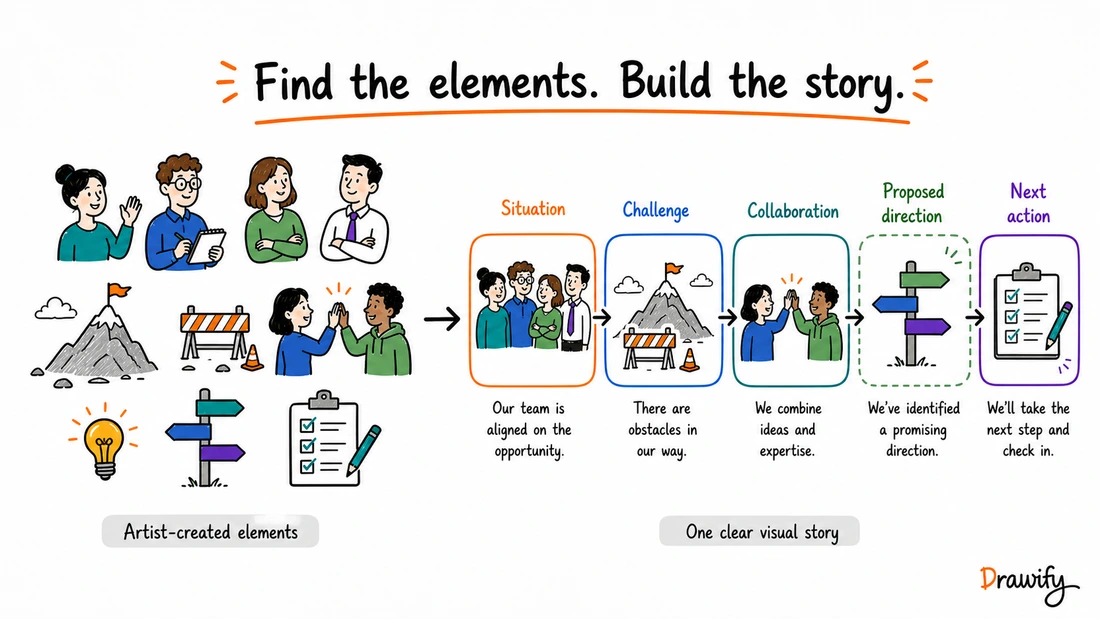
More than a folder of business icons
A business illustration library becomes useful when its visual elements help communicate meaning rather than simply fill empty space.
A single illustration might represent a customer, team, decision or obstacle.
Several carefully selected elements can show:
- a process;
- a stakeholder landscape;
- a customer journey;
- a change story;
- a sequence of decisions; or
- a proposed direction.
Labels, arrows and spatial structure explain how those elements relate.
A practical Drawify workflow is:
- Define the message or question.
- Find an illustration or template that fits it.
- Add the selected elements to the composition.
- Arrange them and add concise text.
- Adjust supported colors and layout where appropriate.
- Review the story for accuracy and clarity.
- Export the completed visual.
The library supplies visual material. The meaning still comes from the choices you make and the evidence behind the message.
Illustrations made by professional artists and visual storytellers
Drawify's illustration library is created by professional artists and visual storytellers.
Their work gives users access to recognizably hand-drawn visual elements without requiring a new illustration to be commissioned for every business visual.
Explore different artistic voices
Hand-drawn does not have to mean one uniform style.
Browse Drawify artist profiles and illustrations to find a visual language that fits the subject and tone of the communication.
For a single visual story, a consistent style often creates a calmer result.
Keep the artist-created library at the centre
Drawify also documents AI-assisted tools that can support parts of the visual workflow.
That does not change the fact that the core illustration library itself is built around professional artists and visual storytellers.
Find visuals for the idea you need to explain
Start with meaning.
Search or browse for the role, action, object or concept that your audience must recognize.
Depending on the subject and currently available library content, useful visual building blocks may include:
- People and roles.
- Actions and interactions.
- Objects and settings.
- Challenges, choices and transitions.
- Symbols and metaphors.
- Connecting and framing elements.
These are examples rather than a fixed product taxonomy. The live Drawify library remains the source of truth for available illustrations.
Search for the message, not only the noun
Suppose the message is:
“Approval is delaying delivery.”
An isolated picture of a clock may be too vague.
The story might need a request, decision maker, handoff and waiting team.
The relationship between those elements is what explains the problem.
Use templates when the structure already exists
Drawify also provides adaptable templates for different communication needs.
Use a template as a starting structure, replace its example content with your own verified information and remove anything that does not serve the message.
Build one coherent visual story
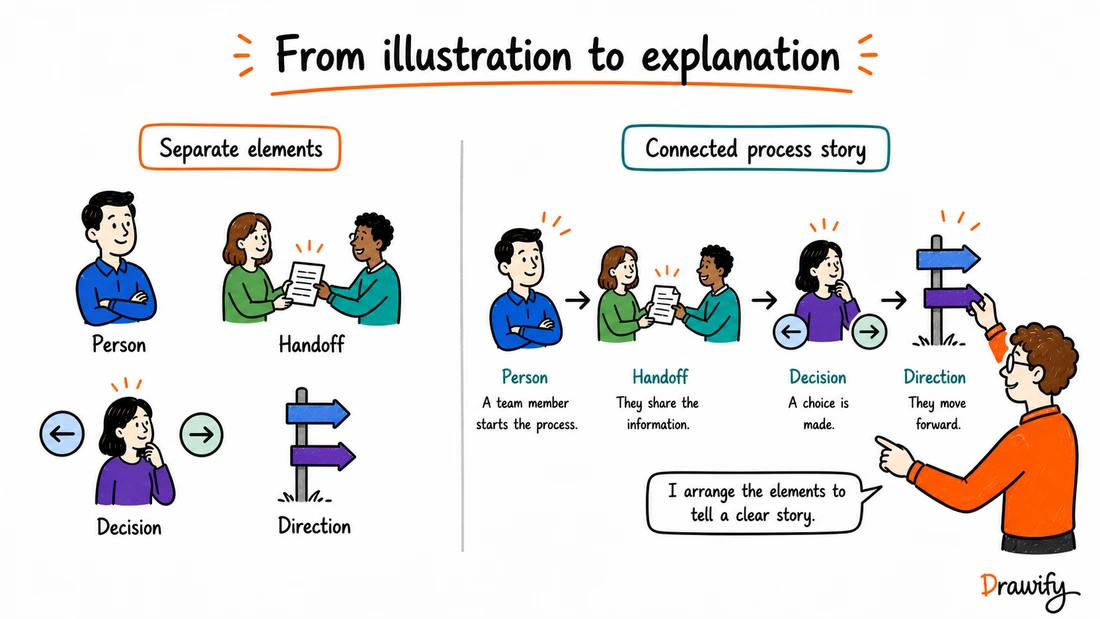
The value of an illustration library appears when separate elements become a connected explanation.
Compose people, objects, text and structure
Place selected illustrations on the canvas, arrange them in a clear reading order and add only the text needed to remove ambiguity.
Use proximity, scale, direction and connectors consistently.
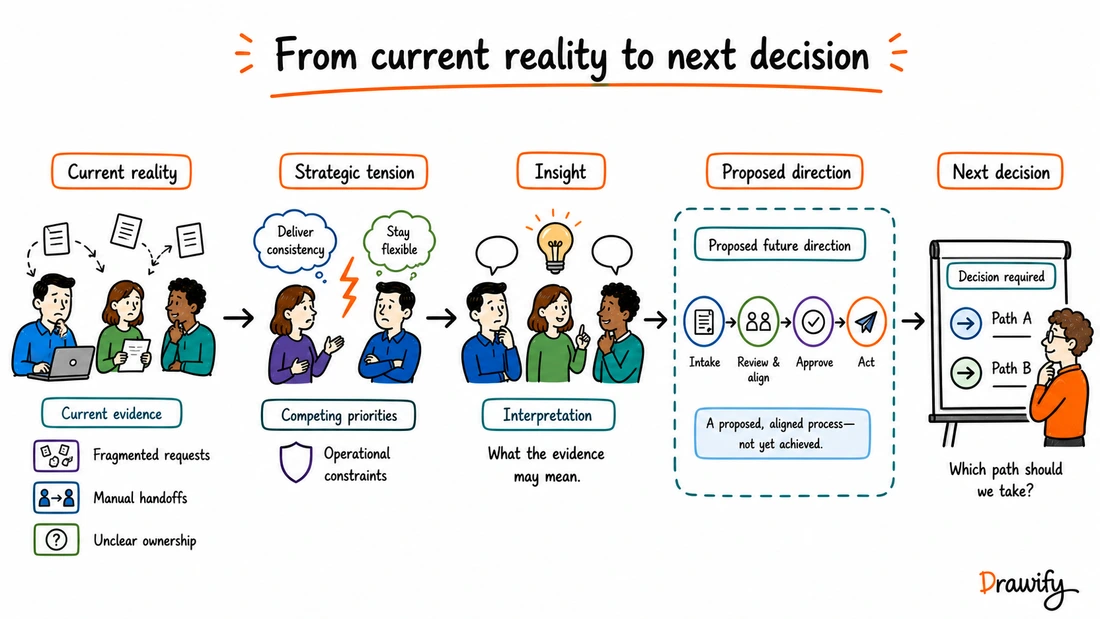
A service-change story could show:
- The current situation.
- The tension caused by unclear ownership.
- The insight from research or discussion.
- A proposed future structure.
- The next decision required.
Mark future states as proposed or intended until they have actually been achieved.
Customize the composition
Drawify supports combining visual elements, changing their arrangement and adjusting supported colors.
Exact customization options can vary by illustration and plan.
Add your own material where supported
Drawify supports uploaded illustrations where that feature is available.
Review uploaded material for accuracy, relevance, quality and usage rights before including it in the composition.
Business illustration use cases
Presentations and proposals
Use a sequence of illustrations to explain context, tension, direction and next action.
One purposeful visual normally has a clearer role than several unrelated decorative images.
Learn about hand-drawn presentations .
Workshops and facilitated sessions
Prepare visual agendas, context maps, stakeholder landscapes, reflection prompts and outcome summaries.
Drawify does not automatically facilitate the session or interpret participant contributions.
Learn about visual facilitation .
Strategy and change communication
Represent the current reality, strategic tension, proposed direction and decisions needed to move forward.
Distinguish clearly between:
- Observed evidence.
- Assumptions.
- Interpretation.
- Proposed direction.
- Confirmed decision.
Processes and operating models
Show stages, roles, handoffs and known bottlenecks.
Use labels to state who owns each step or where approval is required.
Do not add invented timings, savings or performance figures.
Stakeholder communication
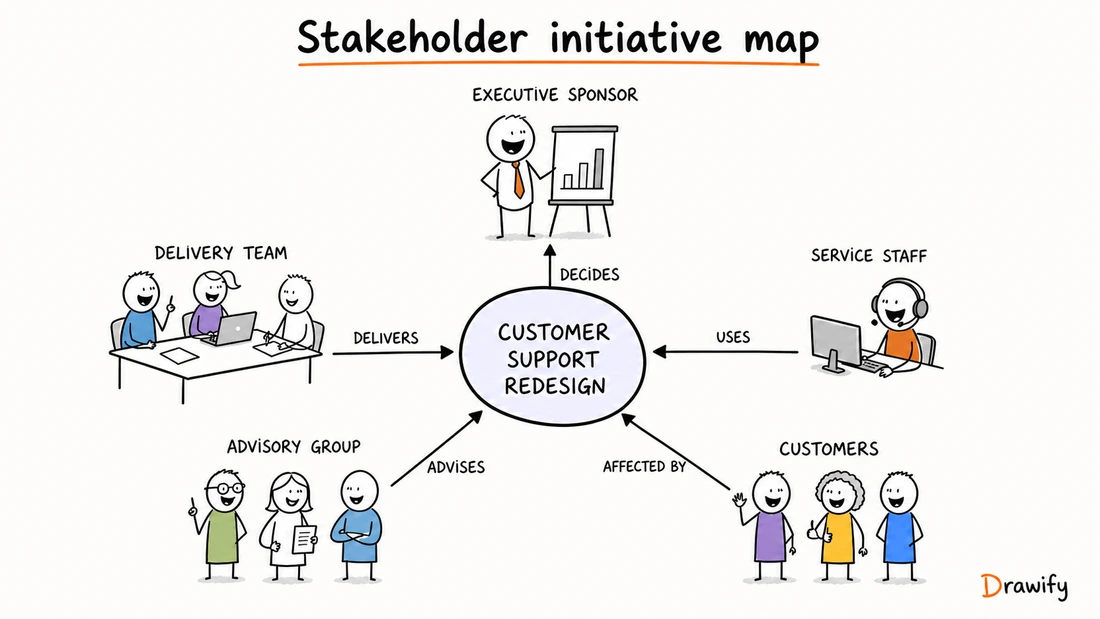
Map decision makers, delivery teams, users, advisers and people affected by a change.
Label relationships such as Decides, Delivers, Uses, Advises and Affected by.
Customer journeys and service design
Illustrate customer actions, touchpoints, backstage activity and open questions across a journey.
Keep observed evidence separate from assumptions about what a customer thinks or feels.
Consulting and client work
Turn findings into an understandable line from evidence to implication and recommendation.
Illustrations can make the client story more approachable, but they do not validate the analysis.
Visual storytelling for consultants .
Training and education
Use visual sequences to introduce a concept, explain a process or recap a learning journey.
Internal communication
Explain initiatives, responsibilities, team interactions or upcoming decisions through a consistent visual language and precise labels.
Sales and marketing communication
Illustrate the problem, approach or intended customer journey without making unsupported product or outcome claims.
How to choose the right business illustration
1. Write the message first
Complete this sentence:
“After seeing this visual, the audience should understand…”
2. Identify the necessary roles and actions
Choose the fewest elements needed to show who is involved, what happens and why it matters.
3. Select a suitable tone
Match the artistic style to the subject and audience.
4. Make relationships explicit
Use short labels, arrows and a clear reading direction.
5. Check the claim behind every element
Ask whether each part represents a known fact, assumption, interpretation or proposal.
6. Review representation and accessibility
Avoid stereotypes, maintain readable labels and make essential meaning available in nearby text or alternative text.
A practical Drawify workflow
Find
Start from an illustration or template that matches the communication need.
Compose
Combine selected illustrations with text and other visual elements.
Customize
Adjust supported colors, arrangement and composition while protecting legibility.
Review
Confirm names, relationships, status labels and claims with the people responsible for the content.
The illustration can make an idea visible; it cannot determine whether the idea is true.
Export and use
Drawify currently documents JPEG, PNG and PDF export.
Drawify also documents integrations with Miro and Google Slides.
Where no direct integration is documented, export the visual and add the resulting file manually.
Check the plan and license for your use case
Plan features and usage terms can change.
Before using Drawify material for a client, commercial project or other important external work:
- Check the current plan details.
- Check the applicable license.
- Confirm whether attribution or Drawify branding is required.
- Verify the rights for material you upload yourself.
Frequently asked questions
What is Drawify's business illustration library?
It is a collection of hand-drawn illustrations created by professional artists and visual storytellers. Users can select illustrations and combine them with text, templates and other elements to create visual stories for business and educational communication.
Are Drawify illustrations created by real artists?
Yes. Drawify states that its illustration library is created by professional artists and visual storytellers. Public Drawify artist profiles can also be browsed separately.
Do I need drawing or design skills?
No. Drawify provides ready-made illustrations and layouts that you can arrange and customize. You still need to decide what the visual should communicate and review the finished story.
Can I combine several illustrations in one visual?
Yes. Combining illustrations, text and other visual elements is part of Drawify's composition workflow. Use a clear hierarchy and reading direction so the elements form one explanation.
Can I change colors and layout?
You can change the arrangement and adjust supported colors. Exact customization options may vary by illustration and plan, so check the live editor for the asset you intend to use.
Can I start from a template?
Yes. Drawify provides adaptable templates for several communication needs. Replace example content with your own accurate information and adapt the structure to the audience.
Can I upload my own visual elements?
Drawify supports uploaded illustrations alongside Drawify elements where that feature is available. Confirm current plan access and make sure you have the rights to use uploaded material.
Which export formats does Drawify support?
Drawify currently documents JPEG, PNG and PDF exports. Available export options and conditions can depend on the current plan.
Can I use Drawify illustrations in Google Slides or Miro?
Drawify documents integrations for Google Slides and Miro. Follow the current workflow for each integration. A more complex composition created in the main Drawify editor can also be exported and added manually to another destination.
Can I use an exported Drawify visual in PowerPoint, Canva or a document?
A supported exported image or PDF can be added to another tool when that destination accepts the file and the applicable Drawify license permits the intended use. Treat this as a manual export-and-add workflow unless Drawify explicitly documents a direct integration.
Can I use Drawify illustrations for client or commercial work?
Usage depends on the license included with the applicable Drawify plan. Review the current plan and terms for the exact use case rather than relying on a universal commercial-use statement.
Is every library illustration exclusive to my project?
No exclusivity should be assumed. A library illustration may be available to other Drawify users. If a purpose-made or exclusive image is required, a separate custom arrangement would need to be confirmed.
Is Drawify an AI image generator?
Drawify is a visual-storytelling platform centred on an artist-created illustration library, templates, text and composition tools. It also documents AI-assisted features, so the core library should not be described as AI-generated and the complete platform should not be described as AI-free.
Does using an illustration guarantee better communication?
No. An illustration can support an explanation, but outcomes depend on the content, composition, audience and context.
Build your next business story with artist-created visuals
Start with the message. Find illustrations that support it, arrange them into a clear composition and export the finished visual for the place where the conversation will happen.
Get visualisation tips every week
Subscribe to the Drawify Newsletter, and feed your creativity with visualisation tips and techniques, as well as the latest Drawify workshops, news and resources.