
Template
Project Phase Diagram
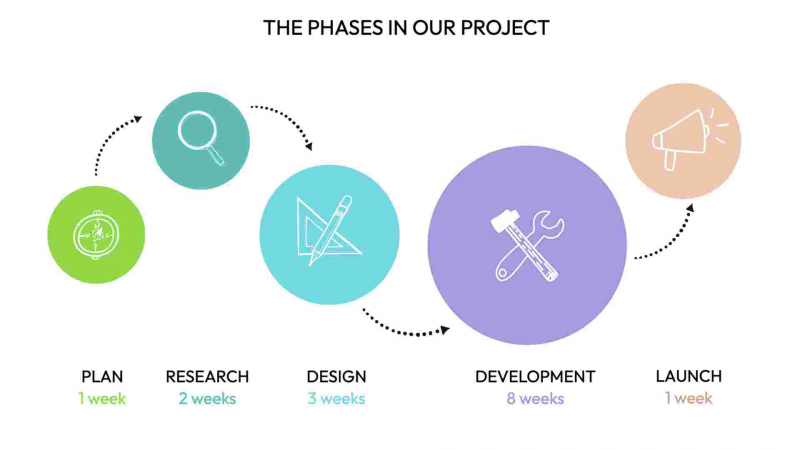
Use this template to visualise a high-level view of a project or program of work, showing the sequence of stages or phases.
Tags in this template planning strategy project management program management program projects project
How to use this template
To use the Project Phase Diagram template, first assess and name the various phases of your project, such as initiation, planning, execution, and closure. You can use this templates' labels as a guide. Also, add or remove any missing or extra circles, so that the template reflects the right number of phases for you.
Next, update the labels and change the images to relfect your stages. You might also like to add extra text elements for descriptions. But be careful: this is meant to be a high-level visual sumamry, just to help people remember the stages, not so much the detail in each stage. Now you're ready to export it as an image to use in a presentation, or to print out and put on the wall as a reminder for your team.
Outcomes
- Consistent identification of project phases and milestones
- Unified understanding of language and timelines for each project phase
- Enhanced communication and collaboration among project stakeholders
PRO TIP
Once you have adapted this template to include your own organization's terminology, try using it as a way to have a team retrospective. Export your Project Phase Diagram as an image, and use it as a background in your collaboration canvas of choice (e.g. Mural or Miro), and invite your team members to add sticky notes on top of it for what is going well, and not so well.
Customize the layout, content, and colors of this template, or swap elements for others to match your purpose.
Get visualisation tips every week
Subscribe to the Drawify Newsletter, and feed your creativity with visualisation tips and techniques, as well as the latest Drawify workshops, news and resources.