
Template
Social Post - Event Promotion
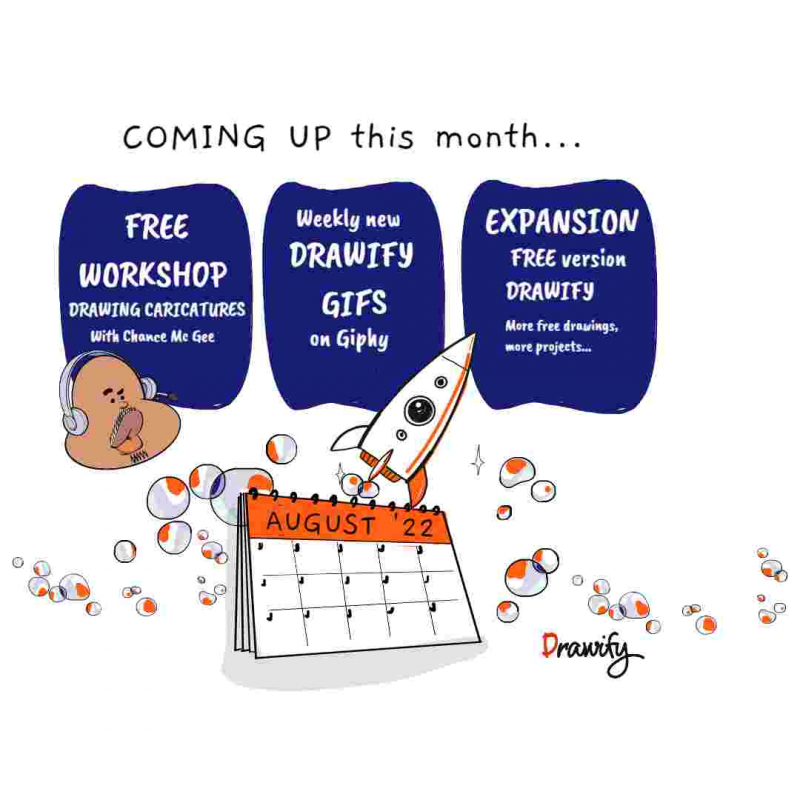
This template gives you a square layout to visually display an event promotion, to use on social media apps like Instagram.
Tags in this template news social media facebook instagram update post
How to use this template
To use this template, start by customizing the heading to suit your event (e.g. your event title). Next, replace the placeholder images with other images more appropriate to your event and audience.
Edit the text to provide your audience with essential information about your event, such as the date, time, location, and purpose. Remember: you can change the colors of the images to suit your own style and branding, and/or to highlight important information.
Add a call to action of some sort at the bottom of your image, to make it clear to your audience what you actually want them to do (e.g. Register, or Sign up). Don't forget: you can use the Preview function in Drawify to check that it looks clean and professional before exporting it and posting it on your social media platform of choice.
Outcomes
- Increased engagement and event attendance through visual messaging and call to action
- Streamlined process for creating social media posts
- Greater consistency in branding and look and feel across multiple post images
PRO TIP
Try playing with one or more different background images as part of your design. But be careful! Make sure that the background image color doesn't compete visually with any text or images that are on top of it.
Customize the layout, content, and colors of this template, or swap elements for others to match your purpose.
Get visualisation tips every week
Subscribe to the Drawify Newsletter, and feed your creativity with visualisation tips and techniques, as well as the latest Drawify workshops, news and resources.