Whether you've got stories to tell or art to create, there's a place for you here.

Scrum Masters
Drawify Tips for Remote Scrum Facilitation
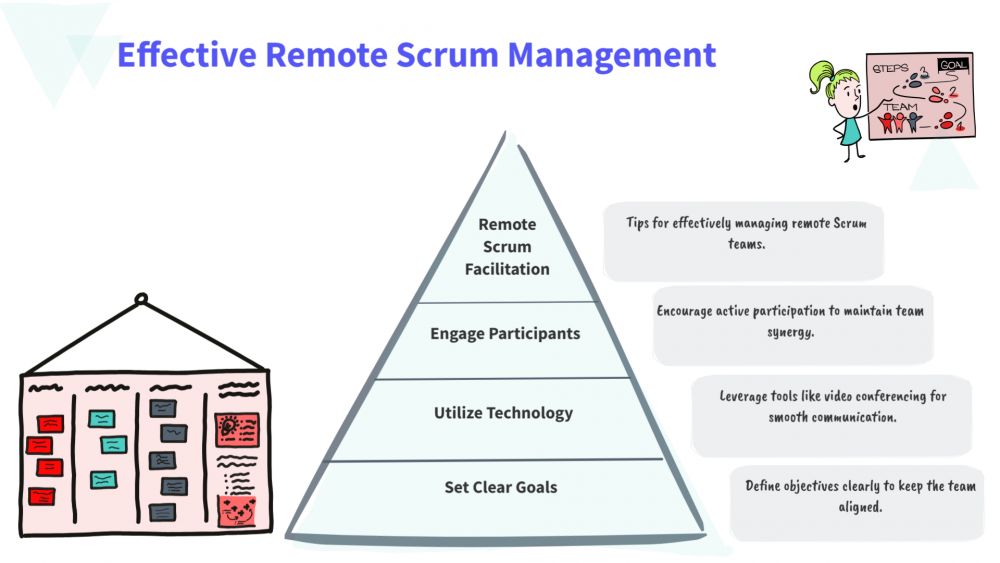
-
SDSwarnali Das- Co-founder, Chief Product Officer, Drawify
-
Jan 05, 2026 5 min read
Let's be honest—remote Scrum meetings can be rough. We've all been in those daily stand-ups where everyone's staring at their own screen, or sprint planning sessions where you're not quite sure if everyone's on the same page. The cameras are on, but the connection? Not so much.
Here's the thing: Scrum is built on people actually talking to each other, being transparent, and truly understanding what everyone's working on. When you're remote, that gets a lot harder. Text in Jira or Slack just doesn't cut it the same way a quick conversation at a whiteboard used to.
That's where visual tools like Drawify come in handy. Instead of drowning in text or sitting through another monotonous meeting, you can sketch things out in a way that everyone immediately gets.

Why Visuals Matter More Than Ever in Remote Scrum:
Think about what makes remote Scrum challenging:
- Everything lives in documents and chat threads that people skim (or honestly, ignore).
- People zone out on video calls—we've all done it.
- It's really hard to picture how all the work fits together when you can't just point at a board.
- What seemed clear in the meeting turns into "wait, what did we agree on?" by the next day.
Simple drawings and visual layouts help fix these problems. They give everyone something concrete to look at and discuss together, rather than just talking into the void.
Useful Tips for Visual Scrum Facilitation:
Make Sprint Planning Less Painful:
Sprint planning meetings can feel like you're trying to herd cats—remotely. People often lose track of what's in scope, what depends on what, and why we're building this in the first place.
Try creating a simple visual flow: what's in the backlog → what we're committing to this sprint → what gets delivered. Draw out how user stories relate to one another. Use quick icons to show what's most important.
When everyone can literally see the plan, you spend less time confused and more time building.
Daily Stand-ups That Don't Feel Like a Chore:
You know those stand-ups where people just read their status updates like robots? Yeah, those need to change.
Put up a basic visual board during the meeting—three columns: Done, In Progress, and Blocked. Add little symbols when someone's stuck or when there's a risk. Keep it visible the whole time.
Suddenly, people are actually looking at the same thing and having real conversations instead of just waiting for their turn to talk.
Backlog Grooming Without the Confusion:
Ever notice how user stories make perfect sense when you write them, but then the team interprets them five different ways?
Instead of walls of text, sketch out the user story. Draw a simple step-by-step of what the user does. Show the weird edge cases that might trip people up.
Your grooming sessions get faster, and developers have way fewer "oh, that's what you meant" moments later.
Sprint Reviews That Actually Engage Stakeholders:
Sprint reviews can easily turn into feature list read-throughs that make everyone's eyes glaze over.
Instead, show the story visually. Create before-and-after comparisons. Connect what you built back to why it matters for the business. Make it a narrative people can follow.
Your stakeholders will actually stay interested and remember what you accomplished.
Retrospectives Where People Actually Talk:
Getting honest feedback in remote retros can feel like pulling teeth. People get quiet, or the same three people do all the talking.
Use visual frameworks—Start/Stop/Continue boards with simple illustrations, or emoji-based feedback methods that feel less formal. Create a visual timeline of the sprint's ups and downs.
When it feels more interactive and less like a formal meeting, people open up more.
Keep the Big Picture Visible:
Remote teams have a tendency to get lost in their individual work and forget what it's all for.
Create a team vision board that everyone can reference. Visualize what "Done" actually means for your team. Illustrate your Scrum values in a way that's meaningful to your specific group.
It helps everyone remember they're part of something bigger.
A Few Things to Keep in Mind:
Don't overthink it—simple sketches beat elaborate diagrams every time. Share your visuals during meetings, not just before or after. Create templates you can reuse sprint after sprint so you're not starting from scratch. And store them somewhere everyone can access them when they need a reminder.
Why This Actually Works:
Here's the secret: hand-drawn style visuals feel human in a way that polished corporate diagrams don't. They're easier to understand quickly, and they invite collaboration rather than passive consumption.
Whether you're a Scrum Master trying to keep ceremonies engaging, an Agile Coach working with multiple teams, a Product Owner clarifying priorities, or just someone on a remote dev team who wants meetings to suck less—visual facilitation makes a real difference.
Remote Scrum doesn't fail because teams don't know the process. It fails because people stop truly understanding each other.
Visual tools bridge that gap. They turn abstract conversations into shared understanding. They make meetings more engaging and less exhausting. They help distributed teams actually feel like teams.
If your Scrum ceremonies feel like they're missing something, maybe what's missing is just being able to see what everyone's thinking.
Give visual facilitation a try. Your team will thank you. Use Drawify!
Post This Article to Your Socials
Popular Topics
- Events
- Workshops
- Visual Storytelling
- How to video
- Communities
- Sketchnoting
- Templates
- UX Designers
- Agile Professionals
- Product Managers
- Freelance Graphic Designers
- Creative Tech Enthusiasts
- Online Course Creators
- Social Media Content Creator
- Creative Agency Owners
- Marketing Professionals
- EdTech Professionals
- Scrum Masters
Similar Articles

Come, Be Part of Something Special
-
Got ideas that need visual superpowers?
Jump in and start creating presentations and communications that people actually remember.
Sign In -
Are you an artist ready to grow?
Join our Drawifier family and focus on what you love most - creating art that matters.
Become a Drawifier
Get visualisation tips every week
Subscribe to the Drawify Newsletter, and feed your creativity with visualisation tips and techniques, as well as the latest Drawify workshops, news and resources.