Whether you've got stories to tell or art to create, there's a place for you here.

Product Managers
Turning Requirements into Visual Specs
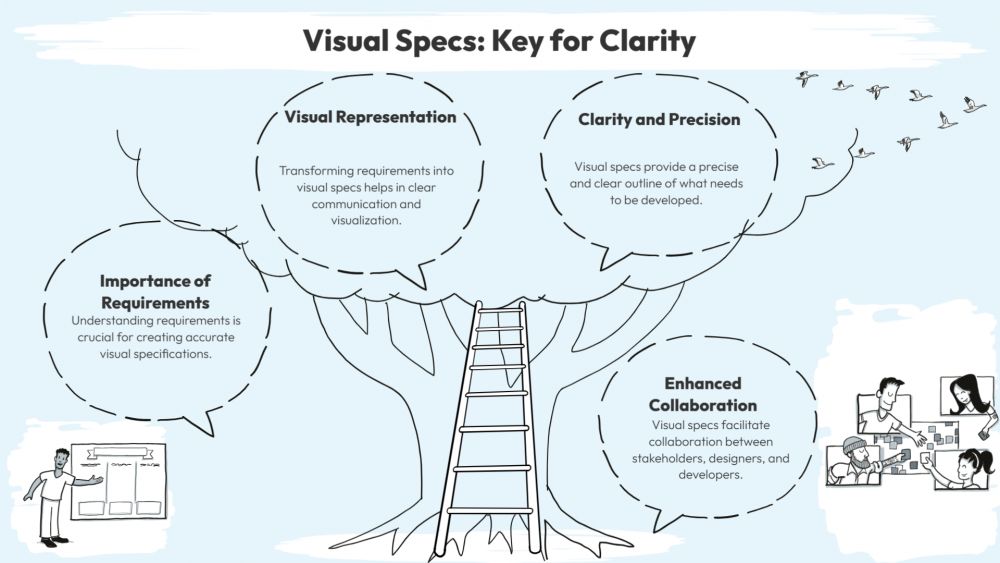
-
SDSwarnali Das- Co-founder, Chief Product Officer, Drawify
-
Dec 09, 2025 5 min read
Let's be honest—how many times have you read through a requirements document only to realize everyone on your team interpreted it differently? It happens all the time. Long paragraphs of text leave too much room for guesswork, and before you know it, you're rebuilding features because what was built didn't match what was actually needed.
That's where visual specs come in. Instead of making people decode dense documentation, you show them what you mean. And that's exactly what Drawify helps you do.

What Makes Visual Specs Work So Well:
Think about it: when you're trying to explain how a feature should work, wouldn't you rather sketch it out on a whiteboard than write three pages about it? Visual specs work because they cut through the noise. Everyone—designers, developers, stakeholders, your boss who "just wants to see what it looks like"—can look at the same diagram and actually be on the same page.
With Drawify, you get:
- Real clarity, fast: Turn vague ideas into actual storyboards, workflows, and diagrams using thousands of ready-made illustrations.
- Less back-and-forth: When people can see how something works, there's way less "wait, I thought you meant..."
- Faster buy-in: Stakeholders grasp the concept immediately when it's visual, resulting in quicker approvals.
- Everyone speaks the same language: No more lost-in-translation moments between teams.
How to Actually Do This (Without Becoming a Designer):
1. Break Down What You're Building:
Don't overthink it. Just list out:
- What users need to do
- How the system should respond
- Where decisions happen
- Any rules or constraints
Keep it simple so you can visualize each piece.
2. Find the Right Visuals in Drawify:
Search through Drawify's library for illustrations that represent your users, their journey, key moments, and system responses. Whether your project requires a clean corporate look or something more casual, you'll find styles that suit your needs.
3. Map Out the Flow:
Use Drawify's drag-and-drop tools to create flowcharts, user journey maps, or process diagrams. No design degree needed - just connect the dots (literally) to show how things work step by step.
4. Add Context Where It Matters:
A picture's worth a thousand words, but sometimes you need a few actual words too. Add labels, notes, and quick explanations so your visuals tell the complete story.
5. Share It with Everyone:
Export your visual specs in whatever format works—PDF, PNG, or drop them straight into your project tools. Now everyone's working from the same playbook.
Why Teams Love Drawify:
- Tons of illustrations to choose from: Thousands of styles so your specs don't look like everyone else's.
- Actually easy to use: If you can drag and drop, you can do this.
- Made for teamwork: Invite people to jump in, comment, and build together.
- AI helps you out: Stuck? Drawify suggests visuals based on what you're trying to communicate.
- Real artists, real creativity: Every illustration is made by actual people, not just churned out by algorithms.
When This Really Comes in Handy:
- Documenting new features without writing a novel.
- Mapping user stories that devs can actually follow.
- Sketching UX flows before committing to final designs.
- Explaining API interactions visually.
- Creating presentation-ready diagrams for stakeholders.
- Running sprint demos and product workshops.
Whether you're explaining a simple login screen or a complex multi-step process, Drawify makes it way easier.
Visual specs have become essential for teams that want to move fast and stay aligned. The good news? Drawify makes it simple to create visuals that actually clarify things—no design skills required.
If you're tired of endless requirement rewrites and want to just show people what you're thinking, Drawify is worth checking out!
Post This Article to Your Socials
Popular Topics
- Events
- Workshops
- Visual Storytelling
- How to video
- Communities
- Sketchnoting
- Templates
- UX Designers
- Agile Professionals
- Product Managers
- Freelance Graphic Designers
- Creative Tech Enthusiasts
- Online Course Creators
- Social Media Content Creator
- Creative Agency Owners
- Marketing Professionals
- EdTech Professionals
- Scrum Masters
Similar Articles
Come, Be Part of Something Special
-
Got ideas that need visual superpowers?
Jump in and start creating presentations and communications that people actually remember.
Sign In -
Are you an artist ready to grow?
Join our Drawifier family and focus on what you love most - creating art that matters.
Become a Drawifier
Get visualisation tips every week
Subscribe to the Drawify Newsletter, and feed your creativity with visualisation tips and techniques, as well as the latest Drawify workshops, news and resources.