Whether you've got stories to tell or art to create, there's a place for you here.

Freelance Graphic Designers
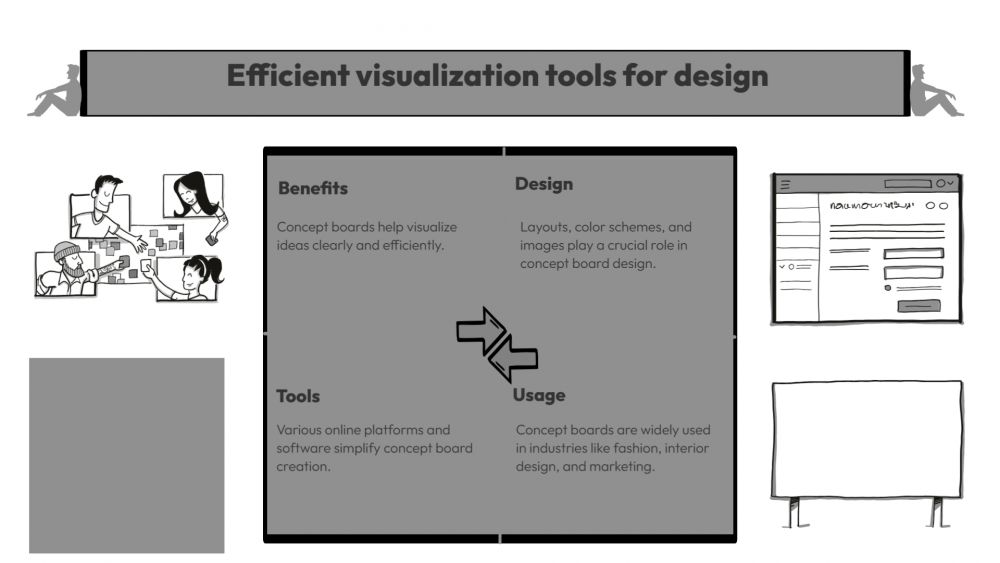
Creating Concept Boards Easily
-
ARAnshu Raj- Founder & CEO, Drawify
-
Dec 14, 2025 5 min read
How to Build Beautiful Concept Boards Without the Headache
If you've ever stared at a blank canvas wondering how to bring your scattered ideas together, you're not alone. As creatives—whether you're designing brands, planning campaigns, or mapping out products—we all need a way to make our abstract thoughts visible. That's where concept boards come in.
The challenge? Building one that actually looks good can eat up hours you don't have. That's exactly why Drawify exists—to help you create visual stories that resonate, without the usual friction.
Let me walk you through what concept boards really are, why they matter, and how Drawify can transform the way you work.

What Exactly Is a Concept Board?
Think of a concept board as your idea's first portrait. It's where colors, sketches, references, and visual elements come together to tell a story before the final work begins. If you want to understand the broader method behind organizing ideas into a clear visual narrative, see our guide to visual storytelling with Drawify.
They help you:
- Show your team where you're headed.
- Capture a mood or aesthetic direction.
- Get everyone on the same page as early as possible.
- Present early-stage ideas with confidence.
You'll find concept boards everywhere—from branding projects and UX design to marketing campaigns and product launches.
Why Drawify Makes This So Much Easier
Traditional design tools can feel like overkill for something that's supposed to be exploratory and quick. Drawify takes a different approach:
A Library Full of Character
Thousands of hand-drawn illustrations by talented artists worldwide. These aren't generic stock images—they have warmth, personality, and soul.
Templates That Actually Help
Pre-built layouts for pitches, moodboards, storyboards, and brainstorming sessions. Just pick one and start shaping it to your vision.
Seriously Simple to Use
If you can drag and drop, you can use Drawify. It's designed for both beginners finding their feet and seasoned pros who want to move fast.
Built for Collaboration
Work alongside your team in real time, or share a link for quick feedback. No endless email threads needed.
Worry-Free Licensing
Every illustration is cleared for commercial use. Create freely, knowing you're covered.
Your Step-by-Step Guide to Creating Concept Boards
Here's how to go from idea to finished concept board:
1. Start with Clarity
Before you dive in, ask yourself: what's this concept board for?
- Exploring a brand identity?
- Setting the mood for a campaign?
- Visualizing a product idea?
- Mapping a user experience?
- Building a story narrative?
Having a clear purpose makes everything else fall into place naturally.
2. Pick Your Starting Point
Browse Drawify's template library and choose something that feels right for your project. There are layouts built specifically for concept boards, moodboards, creative frameworks, and storyboards.
No need to start from scratch when you've got a solid foundation ready to go.
3. Bring in the Visuals
This is where it gets fun. Dive into Drawify's illustration library to find exactly what you need:
- Symbols and icons
- Characters with personality
- Objects and scenes
- UI elements
- Abstract shapes
These visuals help you express ideas that words alone can't quite capture.
4. Add the Supporting Cast
A strong concept board needs more than just pretty pictures. Layer in:
- Color palettes that set the tone
- Font samples for typography direction
- Reference images for inspiration
- Quick notes and annotations
- Labels and connectors
- Rough sketches or doodles
Drawify makes adding all these elements feel natural and intuitive.
5. Fine-Tune Your Layout
Play around with the arrangement until everything flows logically. Use spacing and visual hierarchy to guide the eye. Group related elements together. Make it easy for viewers to understand your thinking.
6. Make It Yours
Even with templates and stock illustrations, your concept board should feel authentic to your brand:
- Recolour elements to match your palette.
- Layer and combine illustrations creatively.
- Upload your own images if needed.
- Adjust the overall aesthetic to fit your style.
This keeps your work feeling fresh and original.
7. Share Your Vision
When you're ready, export your concept board as a PNG, JPG, or PDF. Or skip the download and share a direct link with your team or clients for immediate feedback.
Why This Approach Actually Works
Speed Meets Quality
Transform fuzzy concepts into clear visuals in a fraction of the time you'd expect.
Alignment Happens Earlier
When everyone can see the direction from day one, you avoid those painful late-stage pivots.
Your Work Stands Out
Hand-drawn illustrations give your concepts a distinctive, human touch that generic templates just can't match.
Creativity Gets Sparked
Sometimes you need a visual nudge to unlock new ideas. Drawify's library is full of those little sparks.
Clients See the Vision
Even rough concepts look polished and intentional, which builds confidence and momentum.
Who Benefits from This?
Honestly? Anyone who works with ideas:
- Advertising and marketing teams
- Brand designers and strategists
- UX/UI designers
- Startups building products
- Educators creating materials
- Freelance creatives
- Content creators and storytellers
If visualizing your thinking would make your work better, concept boards—and Drawify—are for you.
Creating concept boards shouldn't feel like pulling teeth. With Drawify's thoughtfully designed tools, ready-to-use templates, and beautifully crafted illustrations, you can turn abstract ideas into compelling visual narratives quickly and enjoyably.
Whether you're pitching to clients, aligning your team, or exploring creative possibilities, Drawify helps you see your ideas more clearly—and share them more effectively.
After all, the best ideas deserve to be seen!
Post This Article to Your Socials
Popular Topics
- Events
- Workshops
- Visual Storytelling
- How to video
- Communities
- Sketchnoting
- Templates
- UX Designers
- Agile Professionals
- Product Managers
- Freelance Graphic Designers
- Creative Tech Enthusiasts
- Online Course Creators
- Social Media Content Creator
- Creative Agency Owners
- Marketing Professionals
- EdTech Professionals
- Scrum Masters
Similar Articles
Come, Be Part of Something Special
-
Got ideas that need visual superpowers?
Jump in and start creating presentations and communications that people actually remember.
Sign In -
Are you an artist ready to grow?
Join our Drawifier family and focus on what you love most - creating art that matters.
Become a Drawifier
Get visualisation tips every week
Subscribe to the Drawify Newsletter, and feed your creativity with visualisation tips and techniques, as well as the latest Drawify workshops, news and resources.