Whether you've got stories to tell or art to create, there's a place for you here.

Marketing Professionals
Drawify Tips for Digital Marketing Tools
-
ARAnshu Raj- Founder & CEO, Drawify
-
Dec 04, 2025 5 min read
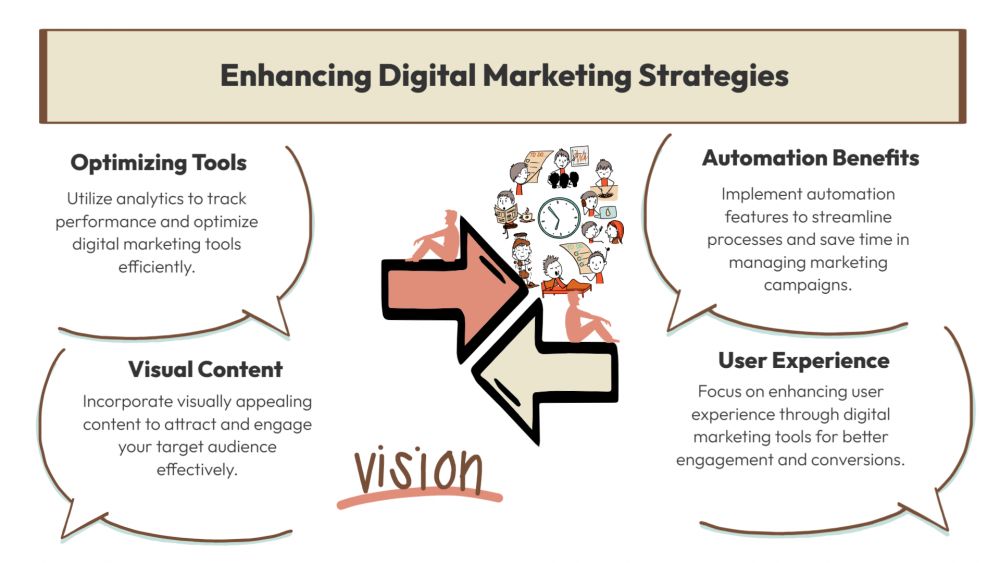
In today's fast-paced digital world, marketers require visuals that enhance branding, facilitate clear communication, and expedite campaign execution. With an extensive library of hand-drawn graphics and AI-powered visual tools, Drawify has emerged as the preferred choice for digital marketing teams looking to produce engaging content quickly. Whether you're creating website visuals, managing social media, or crafting email campaigns, the right Drawify advice will help you enhance every asset you produce.
For marketers, small business owners, agencies, and content creators who aspire to accelerate their visual output without sacrificing creativity, this article offers creative and practical Drawify techniques for digital marketing tools.
1. Use Drawify to Keep Your Brand Uniform on All Platforms:
Keeping a consistent brand is one of the most typical challenges in digital marketing. You can choose visual components that match your brand's personality with Drawify's customizable illustration styles, whether they are corporate, playful, minimalist, or hand-drawn.
Tips:
- With Drawify's integrated colour editing, select a unified colour scheme.
- To keep campaigns consistent, save your favourite illustration styles as favourites.
- Make a set of templates for banners, advertisements, and social media posts that ensure consistency across platforms.
2. Speed Up Content Creation with Ready-Made Templates:
Digital marketers frequently have to meet deadlines. With the help of Drawify's library of templates, which includes content frameworks, marketing diagrams, and social media layouts, you can get started on projects without having to start from scratch.
Tips:
- To quickly develop variations for A/B testing, use AI-assisted layout ideas.
- Use a single template for several platforms by changing its dimensions or orientation.
- Use the template as part of your long-term design system by adding your brand's typefaces and logos.
3. Use Hand-Drawn Visuals to Increase Social Media Engagement:
Hand-drawn illustrations are ideal for drawing attention since they stand out in busy social media feeds. Drawify's resources provide your postings a human element that makes them more approachable and appealing.
Tips:
- To make complicated ideas in carousel posts easier to understand, incorporate sketch-style icons.
- Create posts with a story by combining symbols and characters.
- For platforms like Instagram Reels or LinkedIn videos, add motion using animation tools compatible with Drawify.
4. Use Visual Storytelling to Boost Email Marketing:
Emails with powerful visuals increase clarity and engagement. Marketers can use Drawify to simplify information into appealing visuals.
Tips:
- Simplify product explanations by using Drawify journey maps or flowcharts.
- To improve user involvement, include personalized banners or graphic CTA buttons.
- Use icons and badges created with Drawify to visualize testimonials or data.
5. Improve Website UX with Clear, Custom Visuals:
When creating landing pages, blog headlines, or product pages, visuals are crucial to the user experience. Drawify helps marketers create original and educational web graphics.
Tips:
- Make hero-section visuals that capture the essence of your brand.
- Create detailed illustrations for product setup or onboarding pages.
- To make features, benefits, FAQs, and highlighted parts easier to understand, use Drawify icons.
6. Use Educational Infographics to Boost Content Marketing:
One of the most popular forms of content on the internet continues to be infographics. Drawify enables marketers to create captivating illustrations based on data and insights without requiring specialized design expertise.
Tips:
- For hybrid data storytelling, combine Drawify charts with graphics.
- Create distinctive, brand-specific infographics using custom icons.
- When releasing information on a weekly or monthly basis, save infographic templates for later usage.
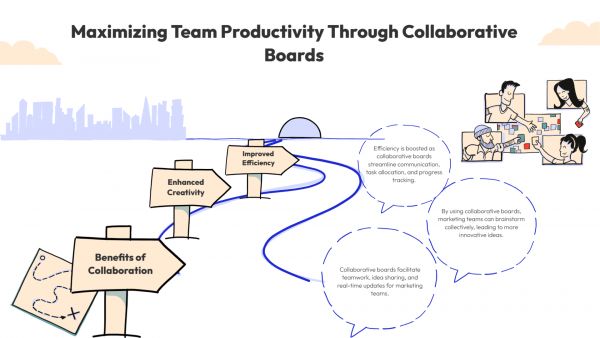
7. Improve Cooperation Using Team-Friendly Workflows:
A variety of stakeholders are frequently involved in digital marketing, including clients, managers, designers, and copywriters. Teams can work more quickly and effectively by using Drawify's sharing power.
Tips:
- Teams can provide feedback by sharing editable visual drafts.
- Depending on their intended usage, export images in a variety of formats, including PNG, SVG, and PDF.
- Maintain a shared collection of licensed illustrations for your marketing team.
By incorporating Drawify suggestions into your digital marketing tools, you may significantly increase brand visibility, content quality, and workflow efficiency. Drawify enables marketers to produce beautiful, captivating content for everything from social media and email campaigns to website assets and infographics- all without requiring technical design knowledge.
Digital marketers may create more captivating visuals, accelerate the creation of campaigns, and produce better results on all platforms by becoming skilled in these techniques.
Post This Article to Your Socials
Popular Topics
- Events
- Workshops
- Visual Storytelling
- How to video
- Communities
- Sketchnoting
- Templates
- UX Designers
- Agile Professionals
- Product Managers
- Freelance Graphic Designers
- Creative Tech Enthusiasts
- Online Course Creators
- Social Media Content Creator
- Creative Agency Owners
- Marketing Professionals
- EdTech Professionals
- Scrum Masters
Similar Articles
Come, Be Part of Something Special
-
Got ideas that need visual superpowers?
Jump in and start creating presentations and communications that people actually remember.
Sign In -
Are you an artist ready to grow?
Join our Drawifier family and focus on what you love most - creating art that matters.
Become a Drawifier
Get visualisation tips every week
Subscribe to the Drawify Newsletter, and feed your creativity with visualisation tips and techniques, as well as the latest Drawify workshops, news and resources.